
Email customization options for Partners
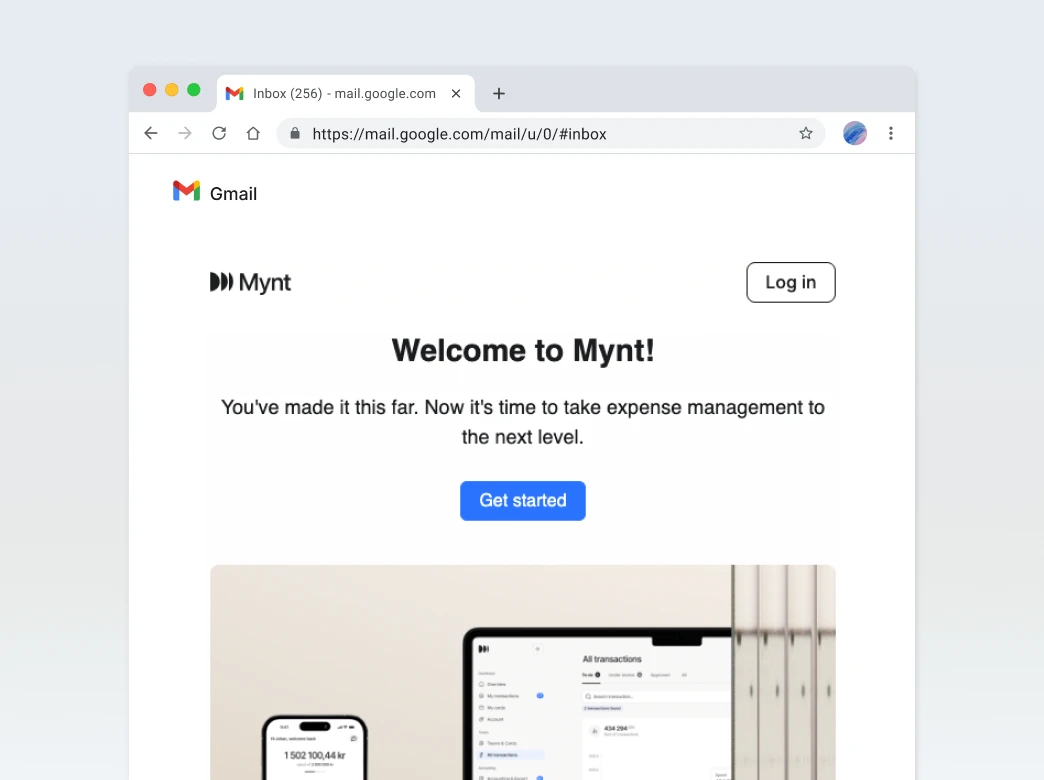
To provide a fully branded experience, partners using the Mynt platform can personalize the system-generated emails sent to their end-users. Below is a summary of the key elements that can be customized in both content and branding.
Sender email address
What: The "From" email that appears in users’ inboxes.
Example Default: info@platform.com
Partner Example: support@partnerbrand.com
Why Customize: Ensures replies route to your own support team and builds brand trust.
Help center URL
What: The link users click when they need help or support.
Example Default: https://platform.com/help
Partner Example: https://partnerbrand.com/support
Why Customize: Directs users to your own help content, FAQs, or contact form.
Partner physical address
What: Appears in the footer for compliance or legal notice purposes.
Example: Example Street 123, 9999 AB, Partner City
Why Customize: Maintains legal accuracy and aligns with your company registration and local regulations.
Support phone number
What: The number shown for phone-based customer support.
Example Default: +00 000-0000000
Partner Example: +12 345-6789012
Why Customize: Lets users reach your own customer service directly.
Social media links
What: Optional icons (LinkedIn, Facebook, etc.) included in the footer.
Example:
- LinkedIn: https://www.linkedin.com/company/partnerbrand
- Facebook: https://facebook.com/partnerbrand
Why Customize: Drives user engagement and reinforces brand presence.
Partner logo
What: Displayed in the header or hero section of the email.
Recommended Format: SVG or high-res PNG
Usage: Replaces the default Mynt logo with your own brand logo.
Why Customize: Strengthens brand identity and visual consistency.
Dynamic banners per email type
What: Visual banners or images that change depending on the message type.
Examples:
- Top-up Notification: Green “Account funded” banner
- Card Issued: Blue “Card ready” graphic
- KYC Reminder: Neutral action-required style
Why Customize: Creates a more engaging and contextual experience for each interaction.
Tip: Banners can also carry different tone and styling depending on email category (welcome, alert, reminder, etc.).